

When talking about Moodle Workplace, the focus is often on dynamic rules, organizational structure, or certifications.
But there is one element that is often underestimated and that, in reality, defines a large part of the user experience: the course catalog.
In the latest webinar, Meritxell Revés, eLearning consultant, analyzed in detail how the catalog works in Moodle Workplace, what configuration decisions are key, and how it can become a strategic tool within corporate training.
What is the catalog in Moodle Workplace?
The catalog in Moodle Workplace is a centralized showcase of the training offerings within the platform.
Allows:
- Show available courses and programs
- Explore training by category
- Facilitate self-enrollment
- Highlight strategic formations
- Give visibility to complete itineraries
It is specially designed for corporate environments with a high volume of training, where access and organization cannot depend solely on manual enrollment.
It is not just a simple list. It is a layer of visibility and access that directly impacts how people discover and consume training.
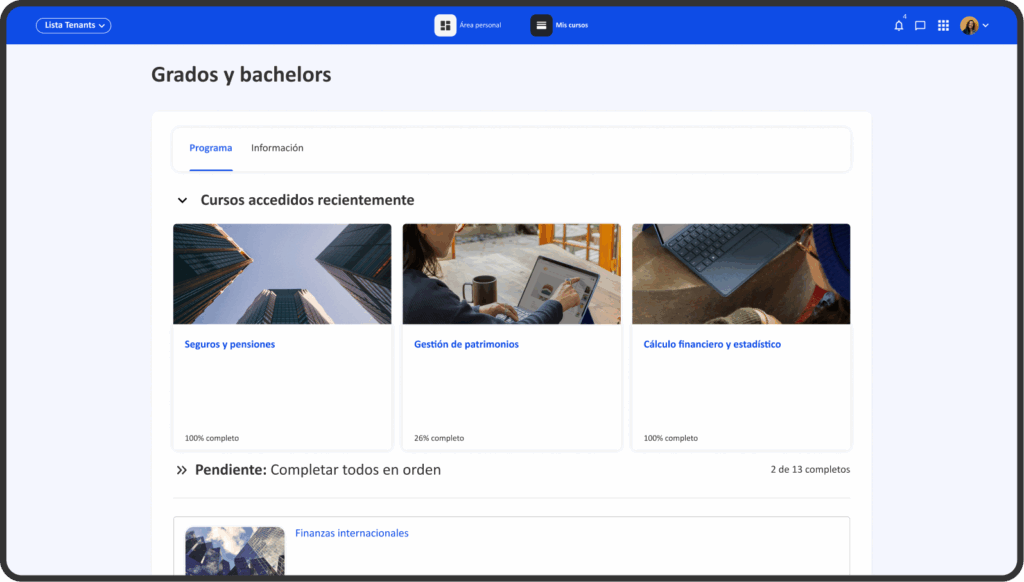
Moodle vs Moodle Workplace: why the catalog makes the difference
Although Moodle LMS and Moodle Workplace share the same technological base, Workplace incorporates specific features for businesses:
- Advanced organizational structure
- Dynamic enrollment rules
- Programs and certifications
- Multitenant
- Process automation
In this context, the catalog is not decorative. It is the piece that connects the internal architecture with the user experience.
Technical tips (that make a difference)
One of the most interesting points of the webinar was how to limit the visibility of the catalog in certain tenants.
For example, by adjusting the appearance and CSS customization, you can hide access to the catalog in areas where it should not be available.
This is especially useful when:
- There is an external paid academy.
- We want to separate internal corporate training
- There are environments with different access policies.
The catalog as a strategic tool in corporate training
The catalog in Moodle Workplace is not an add-on. It is a formative architecture decision.
Define:
- How training is discovered
- What is prioritized
- What is required
- What is being promoted
- What is monetized
And that has a direct impact on the employee experience and the efficiency of the training team.
Does it make sense to activate the catalog in your environment?
If your organization:
- It has multiple training lines.
- Manage large volumes of courses
- You need to combine mandatory and optional training
- He wants to open internal or external academies
- Works with complex organizational structures
Then yes. But activating it without a strategy can cause more confusion than value.
At 3ipunt, we work with Moodle Workplace from a computer craftsmanship perspective: we don’t activate features because they exist, but because they fit with the organization’s training model.