

Turn your Moodle into a smart platform
The Fresk Suite is the evolution of Moodle into a more visual, automated, and data-driven platform. A comprehensive solution developed by 3ipunt that enhances the learning experience, streamlines management, and gives you real control over your LMS.
It’s not a theme. It’s not a plugin. It’s a complete suite for transforming Moodle and Moodle Workplace.

EVOLVE

What is the Fresk Suite?
Fresk has evolved. What was once a visual layer is now a set of advanced tools designed to enhance Moodle without relying on external developments or complex integrations.





BENEFITS
The 4 pillars of the Fresk Suite
An AI-enhanced visual experience
Make your courses more engaging with minimal effort. Fresk uses AI to automatically suggest relevant images and enhance the presentation of your content.

Automatic image selection using AI

Integration with royalty-free stock photo sites

Direct embedding from Moodle

Automated credit management
Advanced analytics for decision-making
The Fresk analytics plugin transforms Moodle data into role-specific dashboards, allowing you to take appropriate action and gain a better understanding of your platform.

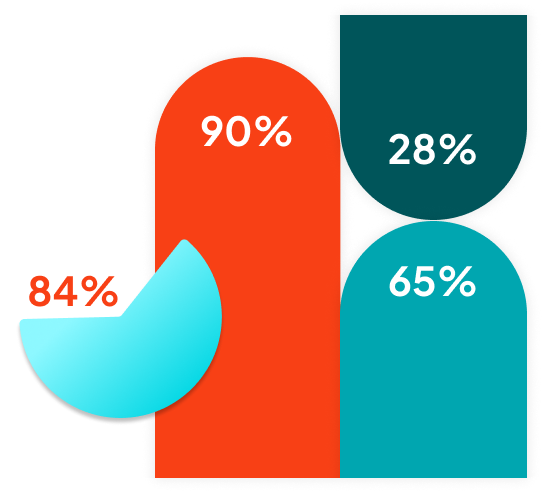
Clear visualization with dynamic charts

Key KPIs for progress and completion

Analysis by course, activity, and SCORM

Dashboards for administrators and teachers
Smart notifications and tracking
Automate student tracking from Moodle. Send alerts by effectively combining progress, inactivity, and custom conditions.

Alerts for inactivity or slow progress

Automated email sending

Segmentation by roles and conditions

Pixel-based tracking
Route optimization in Moodle
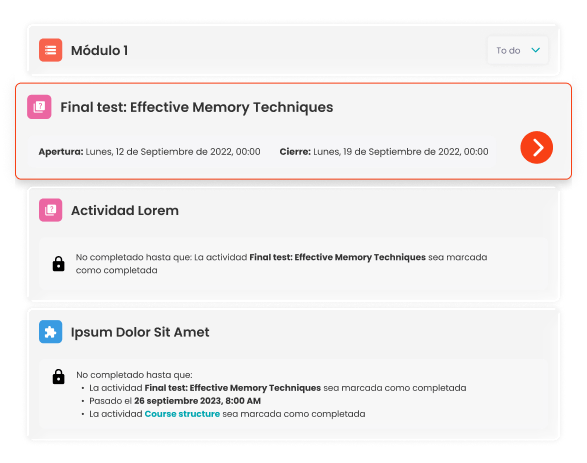
Fresk improves the display of training paths in Workplace, making it easier for learners to understand and track their progress.

Information banner with key facts

Adaptation to sequential or flexible routes

Clear visualization of student progress

Lock indicators and requirements


Take the next step with your Moodle
If your platform has become limited, you don’t need more plugins. You need a solution that connects everything.
ADVANTAGES
From standalone plugins to an integrated ecosystem
Today, e-learning platforms need to go beyond visual customization.
All integrated into a single environment
Centralized and actionable data
Automation of tracking
A seamless and optimized experience

OTHER SUPPLIERS

AUDIENCE
Who is Fresk for?
The Fresk Suite is designed for organizations that want to go beyond standard Moodle:































































FAQs
Do not hesitate asking
any question yoy may have


