The Pere Tarrés Foundation knew it wanted to start using surveys as part of a campaign. What it wasn’t so sure about was how to handle everything that came next: the reports.
Because collecting data is easy. The hard part is turning it into something useful.
The context: an organization with a social impact
The Pere Tarrés Foundation is a nonprofit organization that has been supporting children, young people, families, caregivers, seniors, as well as schools and other organizations for 70 years.
It is an organization dedicated to bringing about change, offering educational, social, and training services that make a real difference, and reinvesting all its resources in charitable initiatives aimed at improving the lives of the most vulnerable communities.
The starting point: lots of answers, little time
They wanted to launch a campaign based on surveys. The approach was simple:
- Each user fills out a form
- Based on your answers, a personalized report is generated
- In addition, you get an overview of the campaign
The problem quickly became apparent. Each response was assigned a score and an interpretation. In other words, it wasn’t just a matter of collecting data, we had to analyze it and draw useful conclusions. Doing this manually, with more than 60 participants per campaign, wasn’t feasible.
Why Jotform?
After evaluating various options, they chose Jotform. Basically, because:
- It’s an easy-to-use online tool
- It allows you to create forms with different types of questions
- It offers an API for connecting to other systems
That last point was key. Because the goal wasn’t just to collect data, but to integrate it with their Moodle platform.
From data to report: automating the entire process
This is where the project really begins. The goal wasn’t just to collect responses, but to turn them into useful reports without having to go through a manual process every time.
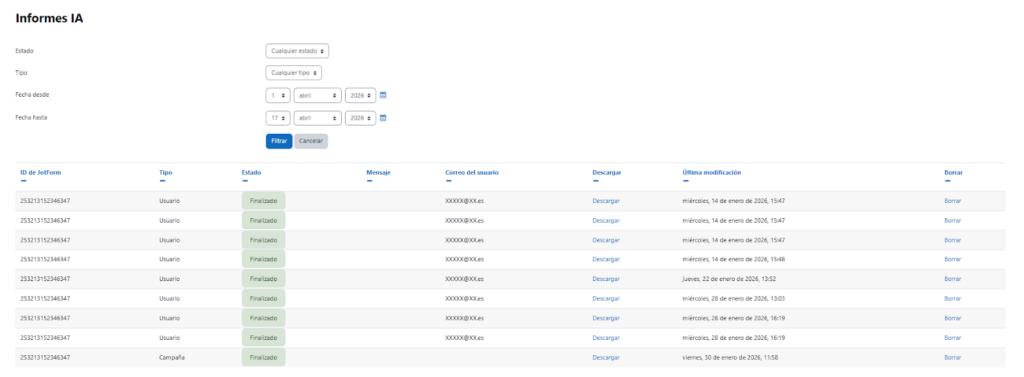
The solution was to develop a Moodle plugin that integrates with Jotform and automates the entire process: from data collection to report generation.
The process is quite straightforward: the system retrieves the form responses, processes them, and automatically generates the report content using artificial intelligence.
The role of AI
Here, AI doesn’t perform magic or make complex decisions. It does something much more practical: it transforms data into text that’s easy to understand. Based on the responses:
- Analyze the scores
- Identify patterns
- Generate recommendations
And it does so by following predefined instructions. This is important because it allows you to tailor the report type to the campaign without having to redo any technical work.
Two ways to interpret the data
From there, the system operates on two levels.
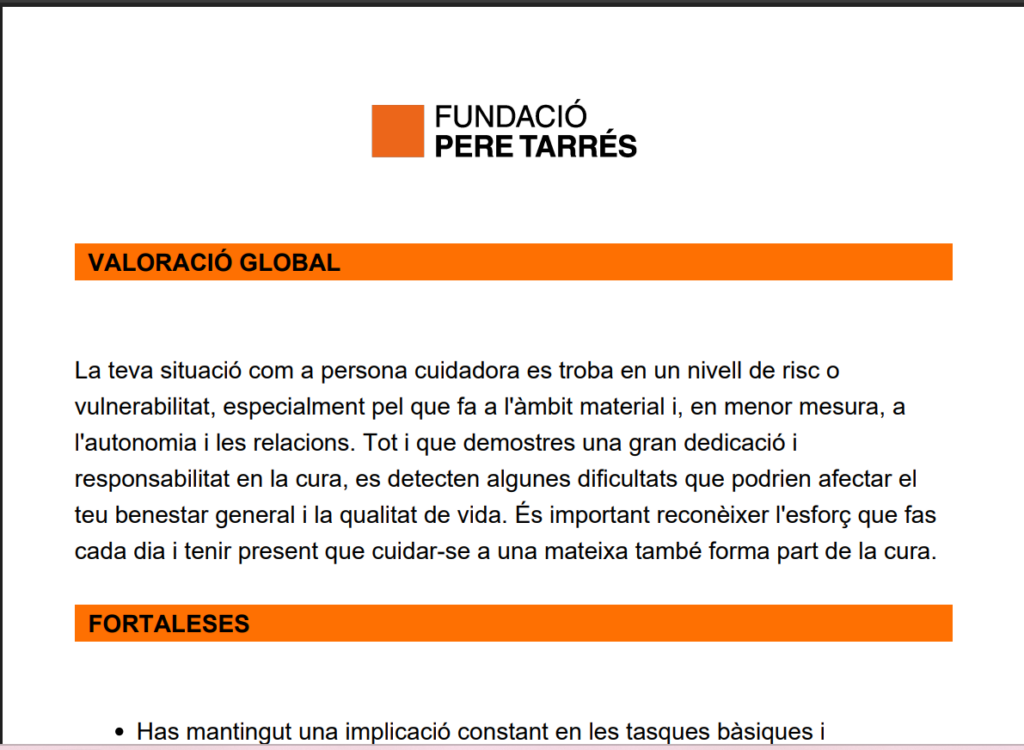
First, the individual aspect: each person who takes the survey receives their own report, with a clear interpretation of their responses and specific recommendations. And they receive it automatically by email.
On the other hand, the overall report: once the campaign ends, a comprehensive report is generated that compiles all responses, analyzes trends, and provides a more strategic overview.
What changes when you stop doing it manually
This type of solution not only saves time, but also changes the way we work. In the past, generating reports meant spending days, or even weeks, reviewing responses and drafting conclusions.
Now, that process is automated. And that makes one important thing possible: scaling.
You can run multiple campaigns at the same time, work with more participants, and focus on clearly defining what you want to analyze, rather than spending time building each report from scratch.
This project demonstrates that applying artificial intelligence to training isn’t just about incorporating technology for its own sake, but about solving very specific day-to-day problems. When the challenge lies in transforming data into useful information, automating that process makes the difference between something that’s done “when possible” and something that truly adds value on an ongoing basis.
In the case of the Pere Tarrés Foundation, this has made it possible to generate customized and campaign-specific reports without manual effort, scale initiatives, and provide a better experience for each participant.