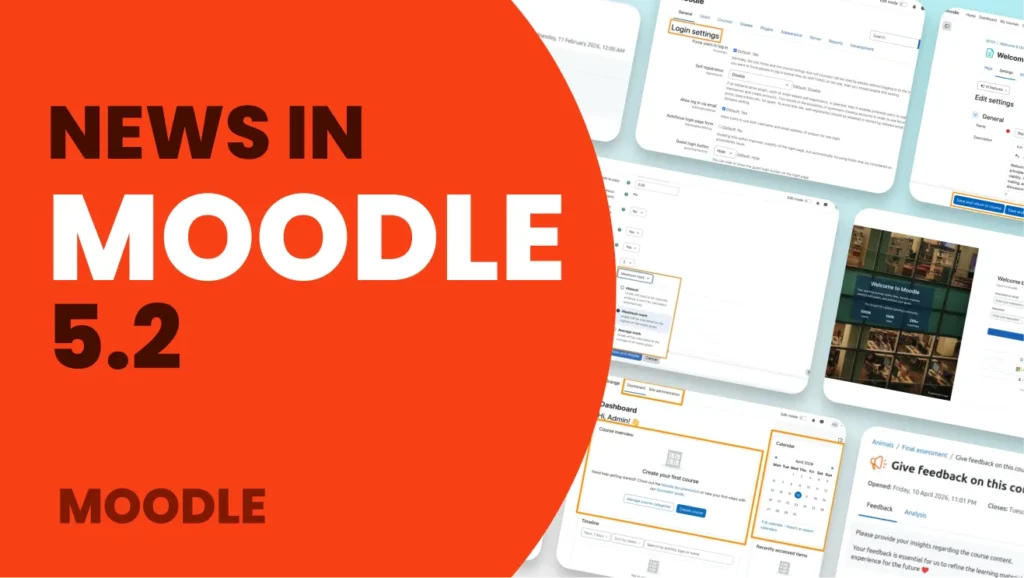
Moodle 5.2 is now available, and it focuses on something very important: making the platform clearer, faster, and easier to use.
This new version introduces improvements that directly impact the day-to-day work of administrators, teachers, and students. From more intuitive navigation to new possibilities with artificial intelligence, Moodle continues to evolve to offer a more modern and efficient experience.
At 3ipunt, we’ve already been testing all these new features, and in this article, we’ll walk you through the most important changes in Moodle 5.2 and how they can help you improve your e-learning platform.
Moodle 5.2: Less Complexity, More Productivity
The platform is designed to provide a cleaner, more organized experience, making it much easier to find content, manage courses, and evaluate activities right from the start.
In addition, this version also focuses on:
- Improve the user experience.
- Optimize the management of courses and quizzes.
- Facilitate collaboration among teachers.
- Integrate new artificial intelligence features.
- Modernize Moodle’s technical infrastructure.
The result is a platform that is better suited for complex learning environments and offers greater scalability for the future.
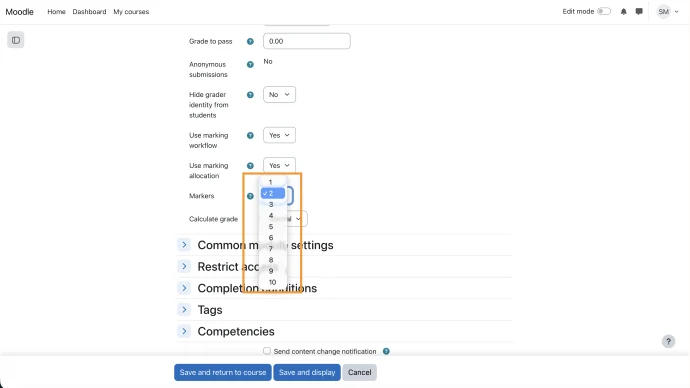
Collaborative grading: multiple people can grade the same assignment
One of the most interesting new features in Moodle 5.2 is the ability to perform collaborative grading.
Now, multiple instructors can grade the same assignment, and Moodle automatically calculates the final grade. In addition, the final grade can also be adjusted manually if specific criteria are required.
With this improvement, Moodle greatly simplifies coordination among teachers and streamlines complex assessment processes.
A clearer and more intuitive user experience
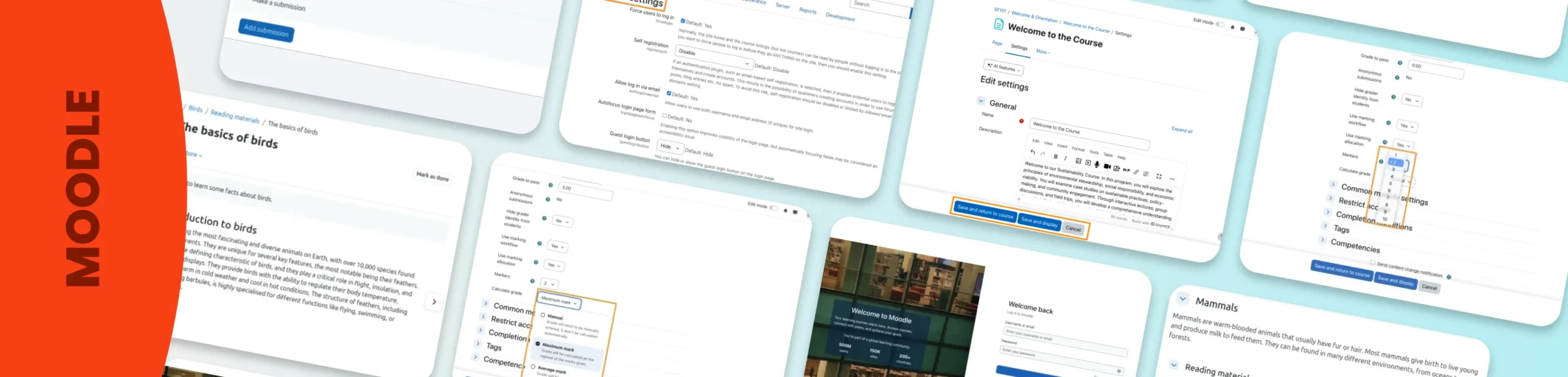
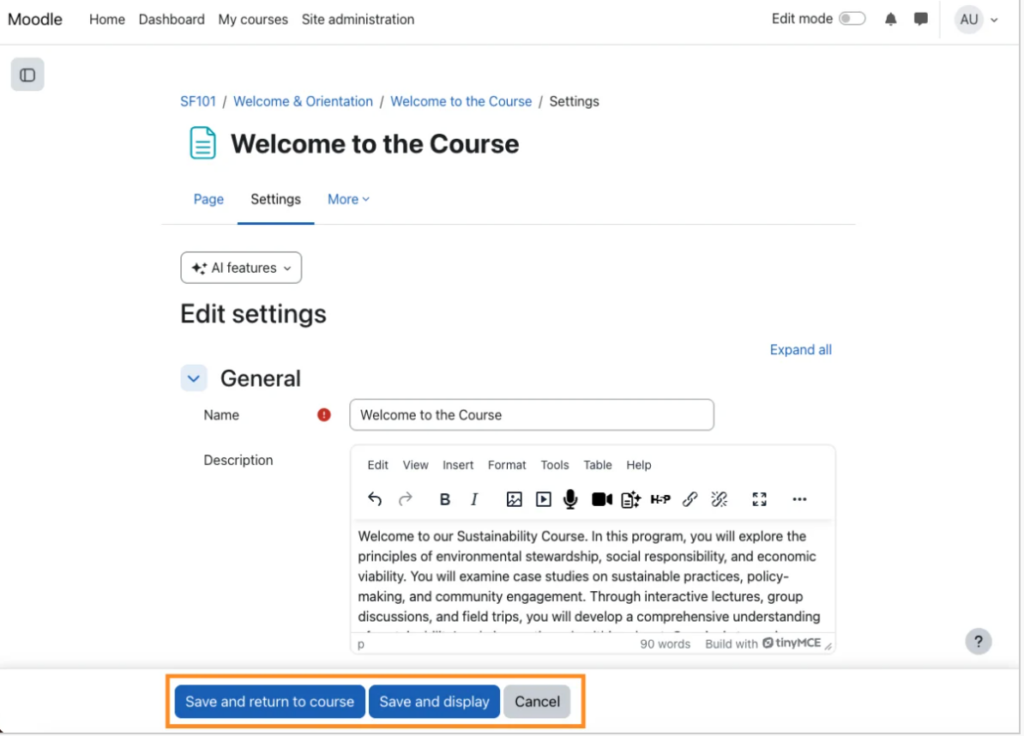
Moodle 5.2 includes numerous visual and usability improvements that make navigating the platform much more user-friendly.
Sticky footer with always-visible actions: The main buttons remain visible as you navigate through certain screens. This eliminates unnecessary scrolling and streamlines frequently used actions.
Redesigned custom field management: Custom field management now has a clearer, more organized structure. The different field types are much easier to distinguish visually, making them easier to configure and maintain.
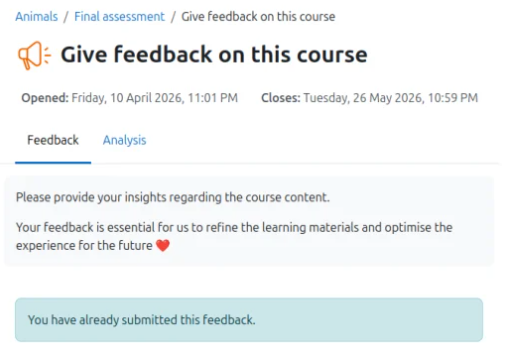
Clearer and better-organized activities
Another major improvement has been made to the activity view. Moodle now displays the following much more prominently:
- Important dates.
- The criteria for completion.
- Key information about each activity.
In addition, the course title remains visible at all times in the navigation menu. Although this may seem like a minor change, it greatly improves navigation within long courses or those with many activities.
Faster navigation within courses
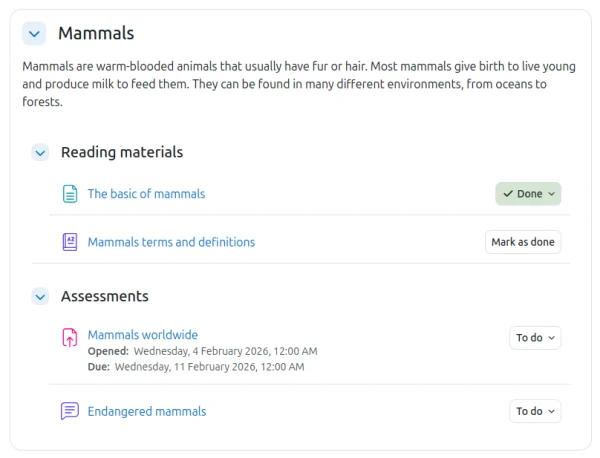
The subsections have been simplified to allow direct access to the content without any intermediate steps. In practice, this means:
- Fewer clicks.
- Fewer unnecessary pages.
- Cleaner courses.
- A clearer structure.
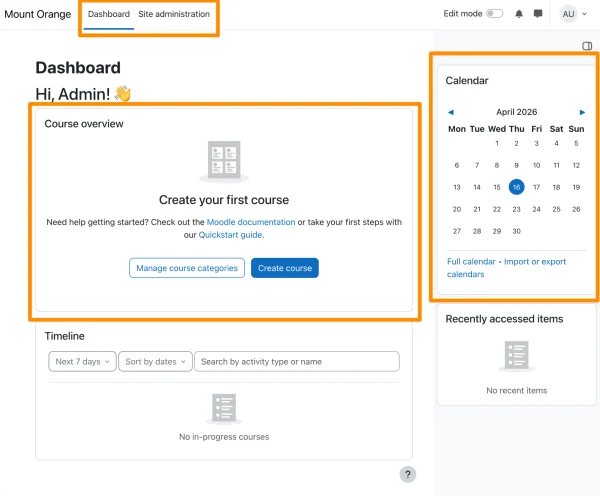
A more useful dashboard right from the start
Moodle has redesigned the Dashboard to make it the platform’s main entry point. Courses are now displayed in a more accessible and visible way, eliminating the need to navigate between multiple screens.
The goal is clear: to help users quickly find what they need to do.
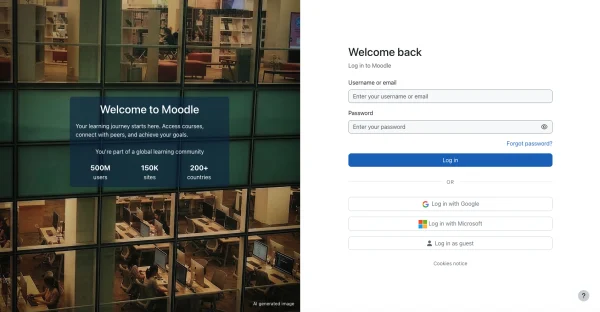
New and more modern login screen
The login page has also been given a visual redesign. It now features:
- A cleaner design.
- Improved visual hierarchy.
- A more modern experience.
- More intuitive access for new users.
Although this is primarily a visual change, it goes a long way toward improving the platform’s first impression. In addition, multi-factor authentication (MFA) continues to gain prominence in Moodle. In Moodle 5.2, the entire visual experience related to two-step verification has been updated to better align with the new login screen.
Significant improvements to questionnaires and the question bank
The question bank has undergone one of the most significant updates in this version. It is now much more visual, faster, and more flexible.
Visual organization via drag-and-drop
Categories can be easily collapsed, expanded, and rearranged by dragging items. This greatly simplifies the management of large question banks.
Edit directly without switching screens
You can edit the categories directly on the screen itself. This way, you avoid having to navigate between pages and can make changes right away.
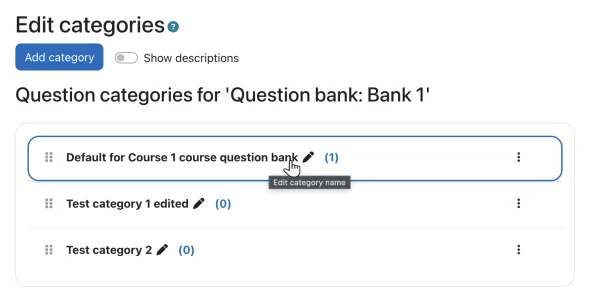
Number of questions visible at a glance
Each category automatically displays the number of questions it contains. This makes it much easier to understand the overall structure of the question bank.
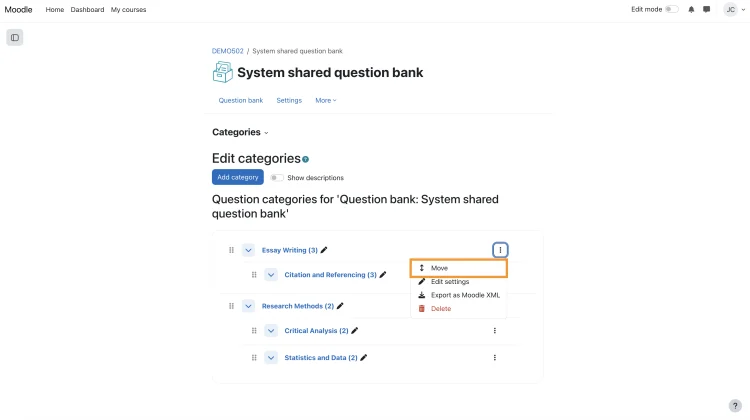
Movement of entire categories
It is now possible to move entire categories between question banks. This is especially useful when working with large volumes of content or reusing content across courses.
Artificial Intelligence in Moodle: More options and more control
The integration of artificial intelligence continues to grow within Moodle. Moodle 5.2 includes new providers such as:
- Google Gemini.
- Amazon Bedrock.
This allows you to generate content, summarize texts, explain concepts, or even create images directly from the platform.
In addition, Moodle retains control over configuration and data, which is particularly important for organizations that already use Google Cloud or AWS ecosystems. This is undoubtedly one of the areas with the greatest potential for growth in future versions.
Moodle 5.2 Webinar: Discover the key new features of the latest version
At 3ipunt, we want you to gain a thorough understanding of everything Moodle 5.2 can offer your e-learning platform.
That’s why we’re hosting a webinar where Antoni Bertran explains, step by step, the key new features of this latest version and how they can help you improve the experience for users, teachers, and administrators.
In the video, you will discover:
- The new browsing experience within courses.
- Improvements in shared grading and feedback.
- Changes to questionnaires and the question bank.
- The latest developments in artificial intelligence on Moodle.
- Visual improvements to the login page, dashboard, and user experience.
- The technical upgrade to Moodle 5.2.